
Why Website Speed Matters for Google Ranking (and How to Fix It)
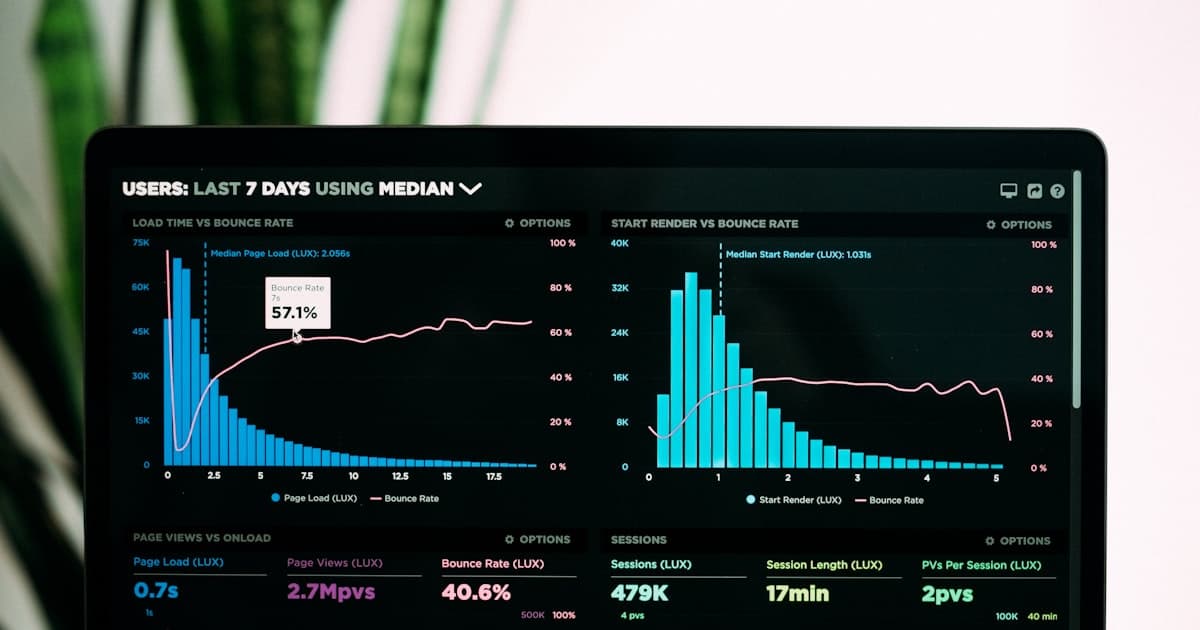
When someone in Malaysia searches for a business like yours, two things decide whether they become a customer: whether Google shows your site, and whether your site loads before they lose patience. Website speed sits behind both. Google uses page experience signals as a ranking factor, and visitors treat a slow page as a reason to hit back and tap the next result.
That makes speed a ranking factor and a conversion factor at the same time. A slow site quietly costs you positions in search and enquiries from the visitors who do arrive. The good news: the causes of a slow website are well understood — and so are the fixes.
What Google measures: Core Web Vitals
Google does not judge speed on feel. It measures it through Core Web Vitals — three metrics collected from real Chrome users visiting your site. Each has a public threshold your pages need to meet to be rated "good":
- ●LCP (Largest Contentful Paint): how long the main content takes to appear on screen. Good is 2.5 seconds or less.
- ●INP (Interaction to Next Paint): how quickly the page responds when someone taps a button or opens a menu. Good is 200 milliseconds or less (INP replaced the older FID metric in 2024).
- ●CLS (Cumulative Layout Shift): how much the page jumps around while loading. Good is a score of 0.1 or less.
Two details matter here. First, Google assesses these on mobile as well as desktop — and mobile is where most Malaysian traffic comes from. Second, the data comes from real visitors over the previous 28 days, so a site that feels fast on your office Wi-Fi can still fail for customers on a patchy mobile connection.
How to check your own site
You do not need to hire anyone to find out where you stand. Two free tools from Google tell you almost everything. Start with PageSpeed Insights: go to pagespeed.web.dev, paste in your homepage address and run the test. Look at the mobile result first, not desktop. If your site gets enough traffic, the report opens with real-user Core Web Vitals data; below that is a lab test with a performance score and a list of specific issues, usually with the worst offenders at the top.
Then open Google Search Console. Once your site is verified there, the Core Web Vitals report under "Experience" shows exactly which pages pass and which fail, based on real visitor data. Finally, repeat the PageSpeed test on your most important pages, not just the homepage — the services or product page that carries your ad traffic matters most.
Why Malaysian sites are often slow
When a Malaysian SME site tests poorly, the causes are usually the same few things. Heavy multipurpose themes and page builders top the list: they load large amounts of JavaScript and CSS for features the site never uses, because the theme was built to be everything to everyone. The owner sees a nice design; the browser sees megabytes of code to download before anything works.
Unoptimised images are a close second. Photos get uploaded exactly as they came from the camera or the designer — several megabytes each — and every visitor downloads the full file. Then there is hosting location: a lot of budget shared hosting sits in the United States or Europe, so every request travels halfway around the world and back before your page even starts loading in Kuala Lumpur.
Finally, there is the audience itself. Malaysians overwhelmingly browse on their phones, often on mobile data that fluctuates between the office, the LRT and the mamak. A page that feels acceptable on fibre broadband can be genuinely painful on 4G — and that is exactly the connection Google's real-user data reflects.
How to make your site fast
The fixes map directly onto the causes. In rough order of impact:
- ●Optimise every image: resize images to the dimensions they are actually displayed at, compress them properly, and serve modern formats like AVIF or WebP, which are dramatically smaller than JPEG at the same visual quality. Lazy-load anything below the fold.
- ●Ship less JavaScript: remove plugins, sliders and libraries you no longer use, and defer non-critical scripts so they load after the page is usable. Heavy JavaScript is the usual culprit behind poor INP.
- ●Host close to your visitors: choose hosting or a CDN with edge servers in Singapore or the surrounding region, so pages are served from nearby rather than another continent.
- ●Stop layout shift: set explicit dimensions on images and embeds, reserve space for banners, and load fonts in a way that does not reflow the text once they arrive.
- ●Audit your third-party scripts: chat widgets, analytics tags, ad pixels and social embeds each add weight and delay. Keep the ones that earn their place and remove the rest.
If you only do one thing, fix the images. On most slow sites they make up the bulk of the page weight, and the fix changes nothing about how the site looks — visitors get the same photos in a fraction of the download.
The harder problem is JavaScript. On theme-based sites, much of it is baked into the platform itself, so there is a practical ceiling on how fast the site can get without rebuilding. That ceiling is one of the main reasons we do custom Next.js builds: when you control every line of code, you decide exactly what loads, when it loads, and what never gets shipped.
What speed looks like in practice
On every site we build, performance is part of the specification, not an afterthought. We target a 95+ Lighthouse performance score on each build. That is a target, not a guarantee — things like embedded videos or third-party tools a business genuinely needs can affect the final number, and anyone promising a perfect score regardless of requirements is overselling. But the architecture is decided up front: pages are custom-coded in Next.js and pre-rendered as lightweight HTML, images run through an automatic optimisation pipeline that serves AVIF/WebP at the right size for each screen, and sites are hosted on AWS and served from edge servers close to Malaysian visitors. There is no theme bloat, because there is no theme.
This applies to every package we offer, from starter sites to e-commerce — you can see how builds are scoped on our pricing page. Speed is part of what a professional website is, not a premium add-on.
Speed and SEO are inseparable
It is tempting to treat SEO as keywords and content, and speed as a separate technical chore. In practice they are the same project. Core Web Vitals feed into ranking, faster pages get crawled more efficiently, and — most importantly — speed decides what happens after the click. Studies consistently show that slower pages see higher bounce rates and fewer conversions, so every improvement in load time works for you twice: once in the rankings, and again on the page. Ranking well and then losing the visitor to a slow load is the most expensive kind of failure.
If you suspect your site is slow, do not guess. Run it through PageSpeed Insights today, or request a free website audit and we will send you a plain-language report on what is slowing your site down and what it would take to fix — within 1 business day, no obligation. And if the answer turns out to be a rebuild, our guide on how much a website costs will help you budget for it honestly.